




www.printerland.co.uk
The UK's no.1 for Printers & Ink
0800 840 1992 Call us FREE Mon - Fri 8:30am - 6:00pm
FREE Next Day Delivery on all Orders Over £125*
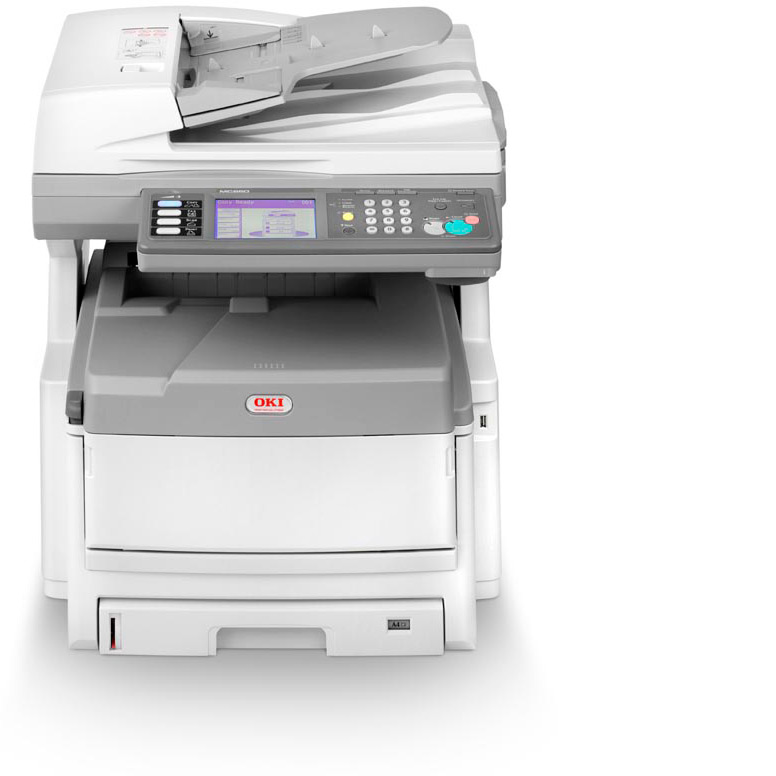
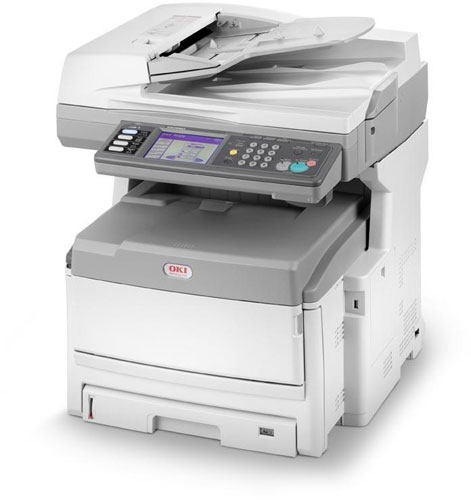
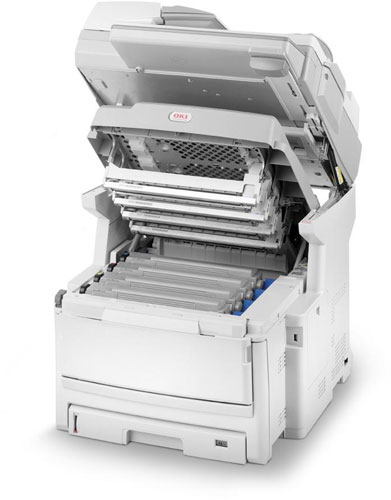
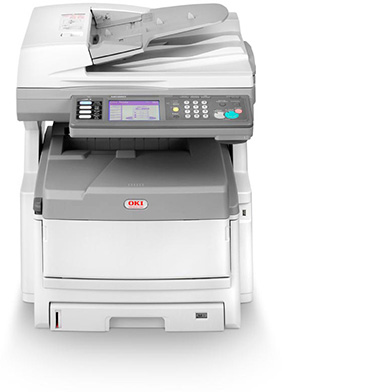
OKI MC860dn A3 Colour Multifunction LED Laser Printer
Print/Scan/Copy/Fax
01236201
FREE Next Day Delivery*
Free 3 Year On-Site Warranty
Only £1,799.00 ex VAT
£2,158.80 Inc VAT

OKI MC860dn Overview


  • 26ppm Colour Print
  • 40GB HDD
  • 34ppm Mono Print
  • 512MB (768MB Max) RAM
  • 33.6Kbps Fax
  • USB, Network & Parallel
  • 100 Sheet Multi-Purpose Input Tray
  • PostScript, PCL5
  • 300 Sheet Input Tray
  • Automatic Double Sided Printing
  • 2400 dpi Print
  • Windows & Mac
  • PowerPC 750 500MHz Processor
OKI MC860dn Wireless Bundle
01236201wifi
Bundle Price £1,834.00
You Save £25.00
OKI MC860dn in More Detail

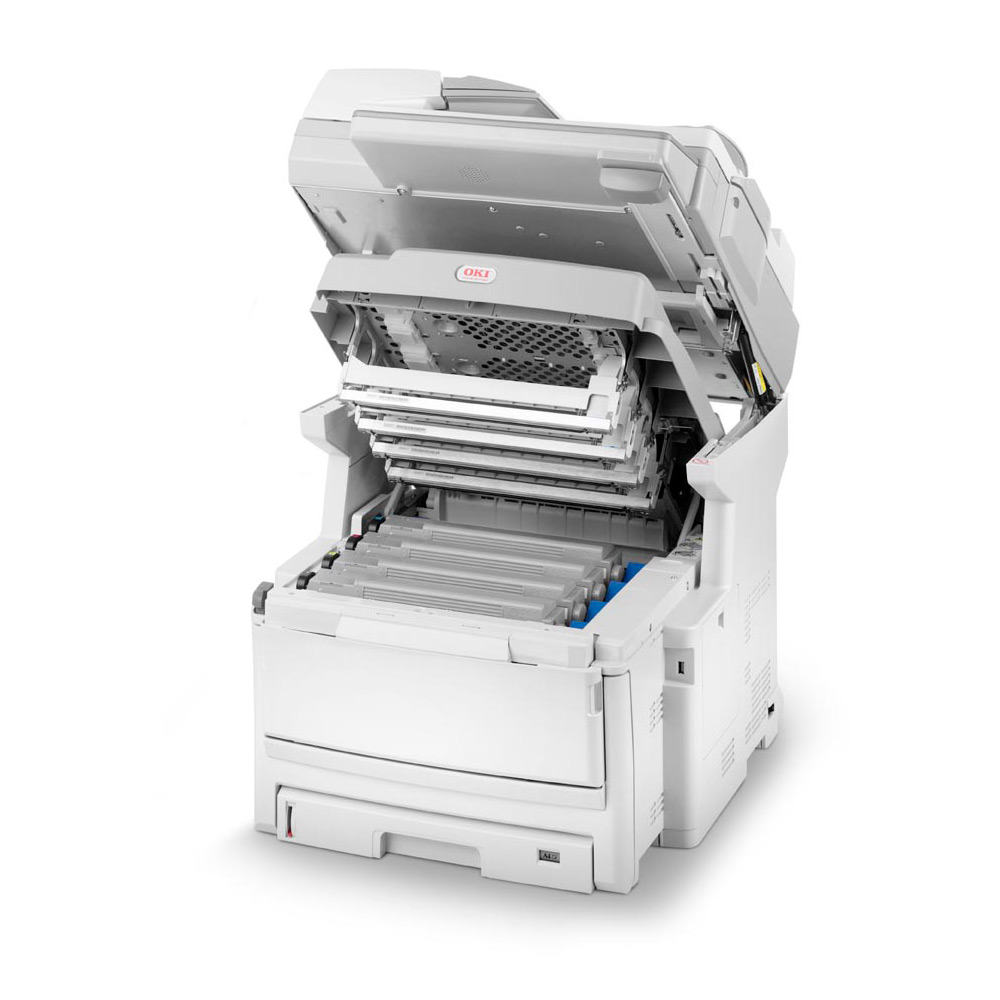
The MC860 is the perfect multifunctional device for A4 and A3 output, tailored to the needs, floor space and budgets of workgroups and small businesses. Easily integrated in any network, it provides easy, fast solutions for all mono and colour print or copy needs. It can receive and send faxes with a few keystrokes and scans documents to network, computer, email and even direct to USB. Available as a desktop or floor standing version, the ultra compact MC860 increases efficiency for workgroups and small businesses by providing easy access to fast, efficient colour and mono multifunctionality. The MC860 delivers full A4 and A3 capability, increased productivity, ongoing savings and award-winning print quality at the price and in the size of conventional A4 MFPs. The MC860 includes a unique set of software designed to help users get the most of their product and investment. These advanced utilities come as standard in the box and deliver increased printing power and management control. For a complete list of utilities refer to the product specification table overleaf. The MC860 sits comfortably on or next to any desk and is so affordable that users can print, scan, copy and fax without breaking their budget: The users can choose the output best suited for their needs: A4 or A3, mono or colour - at improved quality; Being closer to the users, the device improves productivity, as waiting for a machine to become available will be a thing of the past; The MC860 can be upgraded easily and cost-effectively to fit in with growing business needs, by adding extra trays or options for increased paper capacity; The clear intuitive touch-screen reduces the number of user interactions to control advanced functions, making even complex tasks fast and easy. The MC860 supports busy workloads by enabling the users to scan or copy while printing. And the Job Interrupt option temporally halts the print queue, so that the users can copy urgently required documents without stopping the daily workflow.

OKI MC860dn colour MFP
AC Cable (UK)
Fax Line Cable (UK)
CD/DVD (including Utilities/ Drivers and User Manuals)
Setup Guide
CMYK Image Drums and Starter Toners CMYK = 1250 pages


Specification Name
Value
Voltage/ Power/ Frequency
220 to 240VAC / 50 to 60Hz
Product Summary
OKI MC860dn A3 Colour Multifunction LED Laser Printer
Multifunction Summary
Print/Scan/Copy/Fax
Copy Speed Colour
26ppm
Copy Speed Monochrome
34ppm
Scanner Speed
Colour: 26ppm, Mono: 34ppm
Speed Dials
500
Mono or Colour Printer
Colour
Speed Monochrome
34ppm
Speed Colour
26ppm
Fax Speed
33.6Kbps
In The Box
OKI MC860dn colour MFP, AC Cable (UK), Fax Line Cable (UK), CD/DVD (including Utilities/ Drivers and User Manuals), Setup Guide, CMYK Image Drums and Starter Toners CMYK = 1250 pages
Paper Handling Input 1
100 Sheet Multi-Purpose Input Tray
Paper Handling Input 2
300 Sheet Input Tray
Copier Reduce/Enlarge
25 to 400%
Printer Resolution
2400 dpi
Copier Resolution
600 dpi
Scanner Optical Resolution
600 x 600 dpi
Processor
PowerPC 750 500MHz
Hard Disk
40GB
Memory (Maximum)
512MB (768MB Max)
Technology
Multifunction LED Laser Printer
Interface Type(s)
USB, Network & Parallel
Printer Languages
PostScript, PCL5
Product Group Output
A3
Double Sided Printing
Automatic
Network Interface
10 BaseT/100 Base-TX
Parallel Ports
1 x Parallel Port
Transmit and Receive Memory
16MB providing 1000pages
Warranty
3 year On-Site Warranty (when product is registered within 30 days of purchase).
Colour Copier
Yes
Group Dials
Up to 32 supported
Broadcasting
Up to 530 locations
Fax Functions
Connectivity: RJ11 x 2 (Line/Tel) PSTN, PBX; Speed: ITU-T G3 (Super G3) 33.6kbps; Fast dialing: 500 speed dials; Groups: 32; Broadcast: up to 530; Page memory: 16MB (approx 1,000 pages)
Environmental
Operating Temperature 10 to 32C - Humidity 20 to 80%
Noise Level
54dbA
Fax Facility Present
Yes
Power Consumption
700W (Max) / 160W (Standby) / 25W (Saving)
Dimensions
56.5cm (W) x 65.8cm (D) x 66.9cm (H) - Weight 68.0kg
Copy Facility Present
Yes
Scan Facility Present
Yes
Scanner Type
Colour
Data Compression Protocol
Super G3
USB Ports
1 x USB 2.0
RJ-45 Ports
1 x RJ-45
Network Ready
Yes
Warm Up Time
90 Seconds
Print First Page
9.5 Seconds
Monthly Duty Cycle
75,000
Automatic Document Feeder
Yes
Maximum Paper Size
A3
Media Supported
Tray 1: 64 to 120gsm; Tray 2/3: 64 to 176gsm; Multi-purpose tray: 64 to 200gsm; ADF: 42 to 128gsm; Duplex: 64 to 105gsm
Preview Monitor Size (Diagonal)
5.7ins
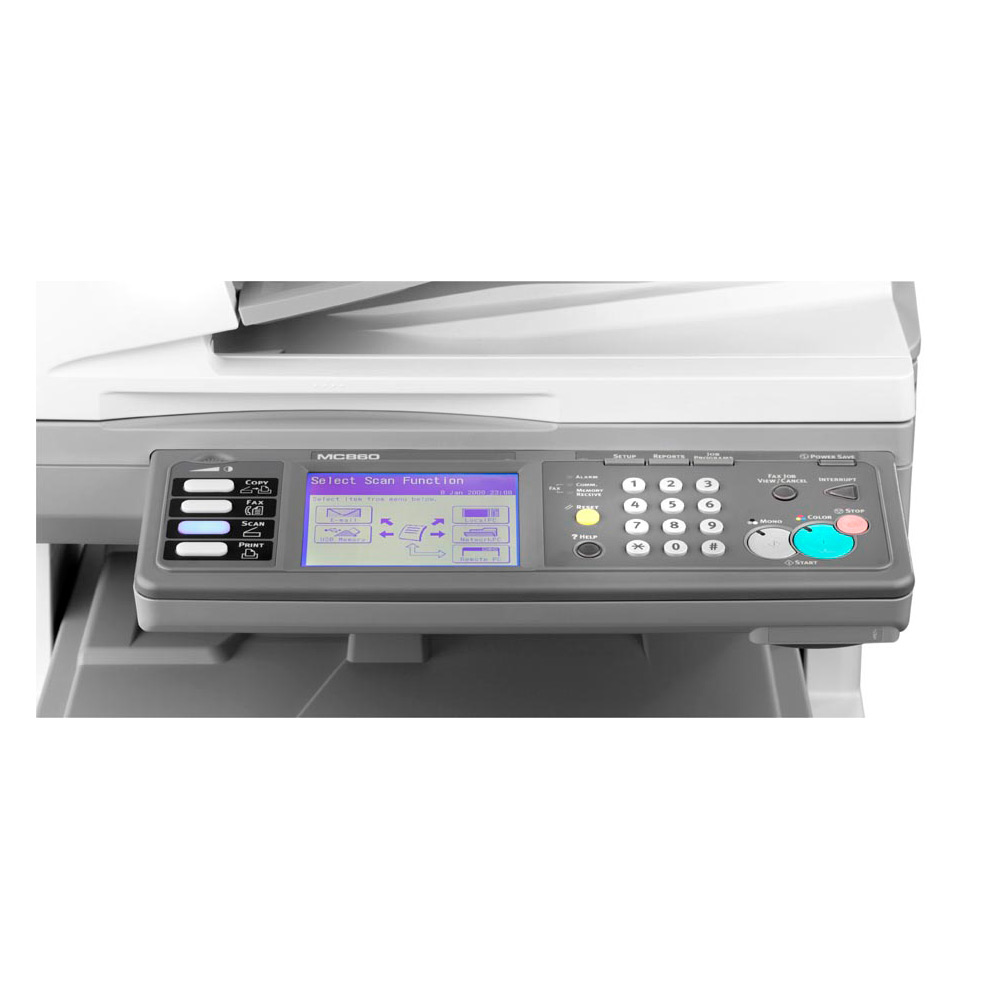
Control Buttons
12 numeric, 4 main function buttons, Colour & Mono Start, Setup, Job Programs, Reports, Reset, Help, Power Save, Interrupt Key, Fax Job View/Cancel and Stop Key
Drum Life
20,000 Pages
Network Printing Protocols
POP3/APOP and SMTP
Network Protocol
TCP/IP:- ARP, RARP, IPv4/v6, CMPv4/v6, TCP, UDP, LPR, FTP, TELNET, HTTP(IPP), BOOTP, DHCP, SNMPv1/v3, DNS, DDNS, UPnP, Bonjour, WINS, SSL/TLS, SMTP, POP3, SNTP, WSDPrint, JetDirect protocols, NetBIOSoverTCP, Kerberos. NetWare 3.x, 4.x, 5.x & 6 with full N
Security
IPv6, 802.1x authentication, SNMPv3, SSL3/TLS HTTPS encryption, Secure Erase, Data Encryption, MAC filtering, IP filtering, Secure Print
Font Capabilities
Scalable: 86 PCL fonts & 136 PostScript fonts, PCL Bitmap fonts, OCR-A/B, USPS ZIP Barcode
Software Included
Color Correct, OKI LPR, PrintSuperVision.net, Swatch Utility, Template Manager 3.0, Web Driver Installer, WebPrint, Print Control Server, Print Control Client, Print Control Report Tool, Storage Device Manager, Gamma Utility, Profile Assistant, PDF Direct
Management
Auto Colour Balance, Photo Enhance via Driver (Windows only)
USB Port
Yes
Parallel Port
Yes
Serial Port
-
Wireless Ready
-
Cabinet
optional
Additional Paper Tray
Optional
Paper Size
Tray 1: A3, B4, A4, A5, B5, A6 Tray 2/3: A3, B4, A4, A5, B5 Multi-purpose tray: A3, B4, A4, B5, A5, A6. Envelopes (Com10, DL, C4, C5), Labels (Avery 7162, 7664, 7666), Transparencies. Support Custom size: Width 64-297mm Length 105-1200mm ADF: A3, A4,
Paper Weight
Tray 1: 64 to 120gsm, Tray 2/3: 64 to 176gsm, Multi-purpose tray: 64 to 200gsm, ADF: 42 to 128gsm, Duplex: 64 to 105gsmg/Sq m
Paper Handling Manual Feed
50 sheets Automatic Document feeder
Copy First Page
Colour: 14.5 Seconds, Mono: 13 Seconds
Scanner Features
Resolution: 600 x 600dpi; Speed: Up to 26spm colour, 34spm mono; Colour depth: Output 24 bit (8 bit x 3 RGB); Document input: Upto 50 sheet R-ADF; Contrast: 7 Levels; Format: PDF, TIFF, JPEG, XPS; Addressbook: LDAP & internal address book; Scan to: Folder
Scanner Bit Depth
24 bits (8 bits per RGB colour)
Maximum Copies
999
Maximum Input Capacity
400 Sheet
Paper Handling Output
250 Sheet Face Down, 100 Sheet Face Up
Preview Monitor Type
LCD Touchscreen
Double Sided Printing (Duplex)
Duplex as Standard
Operating Systems Supported
Windows & Mac
Carton Dimensions
78cm (W) x 66.5cm (D) x 96cm (H) - Weight 82kg

OKI MC860dn Accessories

OKI MC860dn Warranties

OKI MC860dn Cables

OKI MC860dn Parallel Cable
parallelcable
£4.95
£5.94 
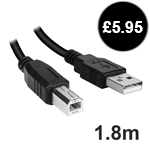
OKI MC860dn USB 2.0 Cable (1.8 Metre)
usbcable
£4.95
£5.94 
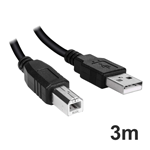
OKI MC860dn USB 2.0 Cable (3 metre)
usbcable3m
£6.95
£8.34 
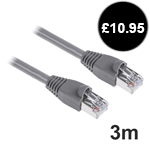
OKI MC860dn Standard Ethernet Cable (3 Metre)
networkcable
£9.95
£11.94 
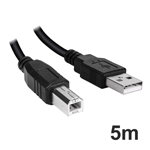
OKI MC860dn USB 2.0 Cable (5 Metre)
usbcable5m
£9.95
£11.94 
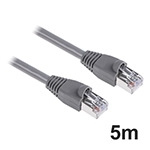
OKI MC860dn Standard Ethernet Cable (5 Metre)
networkcable5m
£12.95
£15.54 
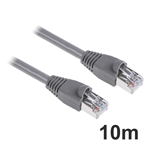
OKI MC860dn Standard Ethernet Cable (10 Metre)
networkcable10m
£14.95
£17.94 
Compare Range Double Sided PrintingNetwork ReadyCabinetUSB PortAdditional Paper TrayPrice 
OKI MC860dnmore infoAutomaticYesoptionalYesOptional£1,799.00
OKI MC860cdtnmore infoAutomaticYestall cabinetYesincludes 530 sheet£1,839.00
OKI MC860cdxnmore infoAutomaticYesshort cabinetYesincludes 2 x 530 sheet£2,049.00


Free 3 Year On-Site Warranty

Buy this printer and you can receive a 3 year on-site warranty upon registration.

Product must be registered within 30 days of purchase.

Alternatively Click Here to register online


5.00
by 
Impressed! Mariann rocks! Amazing service from you all, her especially. Our printer makes our business, your service makes the printer the best it could possibly be! Thank you! Pet Adem

Verdict
Oki's latest MFP colour laser is small, fast and packed with features. For an A3-sized printer it's great value.

Review Date: 9 Mar 2009

Author: Dave Mitchell
Overall Rating:

Features & Design:

Value for Money:

Performance:


Oki's latest A3 colour laser does more than the competition in a lot less space for much less cash. Despite its extensive capabilities, the MC860 is remarkably compact, and quoted A4 print speeds are a nifty 26ppm for colour and 34ppm for mono.

According to our tests, the MC860 delivers on all counts, printing a 34-page Word document in 61 seconds and our 24-page heavy-duty colour DTP document in 52 seconds. The latter took the same time on the General 600dpi and Fine 1,200 x 600dpi driver settings, and only seven seconds more on the top ProQ2400 option.

Copy operations are slower, with a 12-page colour document taking 66 seconds, for an average of 11ppm. Expect 16ppm for mono copies, with the same document reproduced in 45 seconds. The MC860 delivers a wealth of features as you can run scans of documents directly to email, local and network PCs, or to a USB storage device inserted in the front port.

For network scans you can create profiles using the touchscreen panel, where you describe the destination system, the target folder and whether the image should be in PDF, JPEG, XPS or TIFF format. We had no problem sending scanned documents directly to a folder on our test server over CIFS and FTP.

Oki's Configuration Tool can remotely add entries and import text files to lists on the printer for fax speed dials, group phone books, email addresses and copy destination profiles. We were able to configure the printer's email settings and copy documents directly as email attachments, and access to printer functions can be strictly controlled with user names and PIN numbers.

The 40GB hard disk is for storing overlays, fonts and macros, and can automatically collate multiple documents. Confidential prints can be spooled to the hard disk and held back until an operator enters their PIN number at the printer. Oki also provides a simple utility for remotely accessing the drive and managing its contents.

Oki's software includes the Actkey utility, which pulls documents directly from the printer to a local folder over a USB connection. A system tray tool alerts you when a print is completed or a fax has been received or sent, and the package is rounded off with ScanSoft OmniPage SE 4 and PaperPort SE OCR and other document utilities.

Colour output is very good, with photographs and reports bearing the characteristic vibrancy and high levels of detail we've come to expect from Oki's printers. Colour scans of reports are a little grainy, and quality drops when scanning photos on mono. There are consumables galore but running costs are low, with a colour page costing 5.6p and a mono page just under a penny.

The MC860 is an office all rounder that delivers on features, quality and speed. It's compact and offers plenty of expansion options.

OKI & Mobile Printing

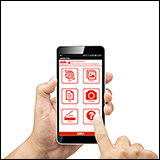
With the modern mobile workforce increasing at a rapid rate, and the growing popularity of tablets, smartphones and laptops, printing documents where and when you need them adds a whole new meaning to print on demand providing you have access to a compatible device.

Thanks to the many mobile applications available, you no longer have to be ‘back in the office’ to print and share documents essential to your business, customers or partners; promotional customer information, contracts - you can keep your business going whilst you are on the move.

Printing from Apple iPad or iPhone?
How to print to an OKI Printer from an Apple iPad

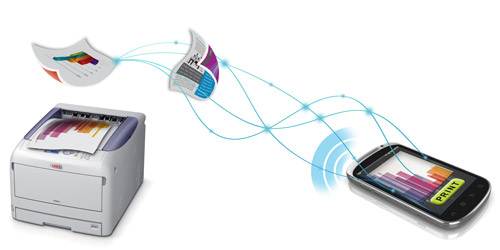
How does mobile printing work?

Cloud or mobile printing works by connecting to a wireless, networked or web enabled printer through a smartphone device or tablet, meaning you can print remotely from anywhere in the world, without having to connect directly to a printer nearby.

OKI products & Mobile Printing

OKI Colour, mono and multifunction printers are compatible with a number of applications available, so you can download an application of your choice that enables you to print to almost any device simply through a single mobile printing application.

Microtech Corp’s ePrint and Cortado Workplace, for example, are compatible with most printer manufacturer brands including OKI’s portfolio of mono and colour LED printers and MFPs.

Microtech Corp's website  - compatible with iOS and Android devices*

Cortado's website - compatible with iOS, Blackberry, Android and Symbian devices*


*please note: a PC or Apple Mac on the same wireless network may be required for full compatibility.

All consumable life cycles are MANUFACTURER ESTIMATES based on 5% per page coverage.
images are used for illustration purposes only
why buy from Printerland?
To assist you in selecting the most suitable product
To get you the best price on your product
To deliver the item in the quickest time possible
Safe internet shopping from printerland Safe internet shopping from printerland
Join the Printerland.co.uk mailing list for the latest promotions & discount codes
Name*
 
Email*
 
*Required
printerland payment methods

The Printerland Promise...

We Will Not be Beaten on Price...
Even on Ink & Toner Cartridges! *

Free Next Day Delivery
on all Orders Over £125

Call us Free on 0800 840 1992
printerland trustpilot badge

Terms & Conditions*
We use cookies to ensure the very best shopping experience possible. By using this site, you consent to our use of cookies in accordance with our cookie policy