




www.printerland.co.uk
The UK's no.1 for Printers & Ink
0800 840 1992 Call us FREE Mon - Fri 8:30am - 6:00pm
FREE Delivery on all Orders Over £125
0 Items £0.00
Lexmark » Lexmark All-In-One & Inkjet Printers »

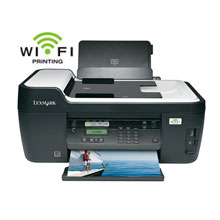
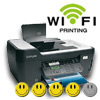
Lexmark Interpret S405 A4 Colour All-In-One Inkjet Printer

Lexmark Interpret S405 A4 Colour All-In-One Inkjet Printer
Print/Scan/Copy/Fax
90T4036
FREE Next Day Delivery*
Print. Copy. Scan. Fax.
Only £103.99 ex VAT
£124.79 Inc VAT

Lexmark Interpret S405 Overview


  • 100 Sheet Input Tray
  • 30ppm Colour Print
  • 33.6Kbps Fax
  • 33ppm Mono Print
  • Windows & Mac
  • USB & Wireless
  • 4800 x 1200 dpi Print
  • 35 Sheet ADF
Lexmark Interpret S405 in More Detail

Lexmark Interpret S405 (A4) Colour All-in-One Inkjet Wireless Printer (Print/Copy/Scan/Fax) ADF. Experience the versatility of the wireless Lexmark Interpret perfect for your busy lifestyle. Print, copy and scan from wherever inspiration strikes with wireless 802.11b/g(1). Additionally, Wi-Fi Protected Setup™ makes connecting easier and more secure. Finish urgent print jobs fast, at up to 33ppm(2)! Enjoy 4X6” photos in as little as 24 seconds(3) using memory cards, PictBridge™ or USB flash drive. Benefit from Vizix patented ink technology with individual ink cartridges that produce clear consistent results and allow you to just replace one color at a time! Rest easy a 3 year guarantee with lifetime phone support and online chat(4). 1. Subject to the range of your wireless router and access to electricity; Built-in 802.11g. Compatible with WiFi certified IEEE 802.11b/g/n. 2. Printing in draft mode and excluding time to first page print. Visit www.lexmark.com for details. 3. Printing from a computer in normal mode, excludes time to first page feed. See www.lexmark.com for details. 4. See statement of limited guarantee for details.

Black Ink Cartridge (170 pages)
CMY Ink Cartridges (200 pages)
Printhead
Quick Setup Guide
Quick Reference Guide
Network Guide
Fax Guide
Installation Software CD
Power Supply
Service Information & Statement of Limited Warranty


Specification Name
Value
Product Summary
Lexmark Interpret S405 A4 Colour Inkjet Printer
Multifunction Summary
Print/Scan/Copy/Fax
Copy Speed Monochrome
15ppm
Copy Speed Colour
9ppm
Mono or Colour Printer
Colour
Fax Speed
33.6Kbps
Speed Colour
30ppm
Speed Monochrome
33ppm
Paper Handling Input 2
35 Sheet ADF
Paper Handling Input 1
100 Sheet Input Tray
Printer Resolution
4800 x 1200 dpi
Scanner Optical Resolution
1200 x 2400 dpi
Copier Reduce/Enlarge
25 to 400%
Technology
All-In-One Inkjet Printer
Interface Type(s)
USB & Wireless
Product Group Output
A4
Double Sided Printing
-
Wireless System
Wireless 802.11 b/g
Direct Printing Port
1 x PictBridge
USB Ports
1 x USB 2.0
Fax Facility Present
Yes
Case Colour
Black
Dimensions
47.7cm (W) x 33.8cm (D) x 20.4cm (H) - Weight 7.76kg
Copy Facility Present
Yes
Scan Facility Present
Yes
Automatic Document Feeder
Yes
Maximum Paper Size
A4
Media Supported
Card Stock Envelopes Labels Plain Paper Transparencies Banner (A4 or Letter) Hagaki Card Iron-On Transfers Photo Paper Heavy Weight Matte Paper
Sony Memory Stick
Sony Memory Stick, Memory Stick PRO Secure Digital (SD) Card Sony Memory Stick Duo (with adapter) Sony Memory Stick PRO Duo (with adapter)
Number of Print Cartridges
4 (black, cyan, magenta, yellow)
xD-Picture Card
Supported: xD Picture Card, xD Picture card Type M, xD Picture card Type H
MultiMedia Card
Supported: MMC, RS-MMC (with adaptor), MMC Mobile (with adaptor)
Warranty
1 Year Replacement
Scanner Bit Depth
48-bit
Paper Weight
75g/Sq m
Noise Level
50dbA
Colour Copier
Yes
Monthly Duty Cycle
5k Pages Per Month
Network Ready
-
USB Port
Yes
Parallel Port
-
Serial Port
-
Wireless Ready
Yes
Additional Paper Tray
-
Scanner Document Size
21.6 x 35.6cm
Secure Digital
Mini Secure Digital (Mini SD) Card (with adapter) Micro Secure Digital (Micro SD) Card (with adapter) Secure Digital High Capacity (SDHC) Card (with adapter)
Certifications
Energy Star, CSA, c-UL-us, ICES Class B, Executive Order 132221, CE Class B, CB IEC 60950 IEC 60825-1, GS (T V), SEMKO, C-tick mark Class B, V85, CCC Class B, BSMI Class B, METI(PSE), VCCI Class B, FCC Class B, UL 60950 3rd Edition, CCIB
Operating Systems Supported
Windows & Mac
Paper Size
10 Envelope 7 3/4 Envelope 9 Envelope A4 A5 B5 Envelope C5 Envelope DL Envelope 6 3/4 Envelope A2 Baronial A6 Card B5 C6 Envelope Custom (Up to 216 x 432 mm) Hagaki Card Index Card Executive Legal Letter 4 x 6 inch L 2L Chokei 3 Chokei 4 Chokei 40 Kakugat
In The Box
Black Ink Cartridge (170 pages), CMY Ink Cartridges (200 pages), Printhead, Quick Setup Guide, Quick Reference Guide, Network Guide, Fax Guide, Installation Software CD, Power Supply, Service Information & Statement of Limited Warranty


Published 18 Feb 2010 Author mfereday

Rather than identify its new All-in-One purely by a model number, Lexmark has taken the decision to bestow on each model a specific name. As part of this policy, the models making up the company’s 2009 Home Office series have been named Interact, Intuition, Interpret and Impact.

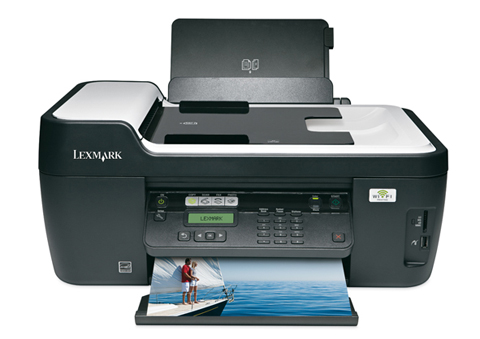
Forming the basis for this review is the Interpret which is a wireless 4-in-1 device designed for office productivity. Predominately black in colour with a computer grey top, the Interpret combines print, scan, copy and fax functionality within a box measuring 288.4 x 338 x 477mm. Connectivity issues are taken care of with a choice of wireless or USB.

Installing the four ink cartridges (black, cyan, yellow and magenta) was not quite as straightforward as some other products that I have looked at recently. Rather than simply slot each cartridge into its appropriate compartment, the Interpret requires you to insert a print-head component into a docking station. In order to carry out this task you need to lift a restraining latch. This is hardly the most difficulty task but one that is only possible when the docking station is accessible from the main body of the printer unit. I had to manually move the docking station into this area before I could lift the latch. It was then possible to insert the four cartridges, a task that passed without incident apart from needing to persuade the magenta locking clip to hold its cartridge in place.

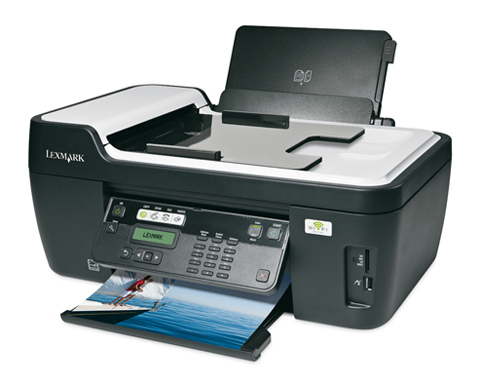
The standard arrangement of inkjet printer supporting a flatbed scanner is enhanced by an ADF (Automatic Document Feed) unit sitting on top of the scanner. This ADF can hold up to 35 pages which are fed to the scanner prior to being printed. The main paper tray, located at the top rear of the unit, has a capacity of 100 pages.

The rear of the Interpret houses the mains power and USB connections plus LINE and EXT ports for telephone and fax. Decorating the front of the unit is the main control panel, WiFi indicator and a small area holding the memory card, PictBridge and USB flash stick slots. All popular formats of memory card are supported.

The front mounted control panel can sit flush to the body of the printer when not in use or swivelled out for easier visibility. Although you have clearer view of the various controls in swivelled mode, applying pressure to any of the controls, apart from the on/off and Start buttons, tends to push the control panel back into the body of the printer. Fortunately it is possible to grip the panel with your other hand while changing settings or entering the appropriate fax number.

Along with the driver software for the Interpret, Lexmark has bundled some additional utilities. At the heart of the software is Printer Home which categorises its functionality under heading of Photo, Scan to Text (using Abbyy FineReader Sprint), Scan to PDF and Emails. Other items of software include Lexmark Toolbar for Web printing; Lexmark Tools for Office 2007; and Lexmark Fax solutions.

According to Lexmark the Interpret is capable of printing monochrome at 33ppm and colour at 30ppm while a 10 x 15cm photo should take 24 seconds. My initial tests, using a 102-word document, matched the Lexmark figure when using the Quick Print mode. Text quality was of a standard that would be suitable for internal use. For a more professional look you need to use either Normal (28ppm) or High (9ppm) which gives improved quality. Adding colour to the text and a colour image resulted in speeds of 21, 4 and 2.5ppm. A 10 x 15cm photo was produced in 25 seconds while a full colour A4 photocopy required 32 seconds. Image quality was acceptable in all cases.

Separate documentation is provided for setting up the Interpret plus getting started with Fax and Network features. Also included in the package is a pack of Multilanguage faceplate for attaching to the front of the control panel.

The Lexmark Interpret comes with a 3-year warranty. The product is compatible with Windows 2000 (SP4), Mac OS X 10.3.9 or Linux.

All consumable life cycles are MANUFACTURER ESTIMATES based on 5% per page coverage.
images are used for illustration purposes only
why buy from Printerland?
To assist you in selecting the most suitable product
To get you the best price on your product
To deliver the item in the quickest time possible
Safe internet shopping from printerland Safe internet shopping from printerland
Join the Printerland.co.uk mailing list for the latest promotions & discount codes
Name*
 
Email*
 
*Required
printerland payment methods

The Printerland Promise...

We Will Not be Beaten on Price...
Even on Ink & Toner Cartridges! *

Free Next Day Delivery
on all Orders Over £125

Call us Free on 0800 840 1992
printerland trustpilot badge

Terms & Conditions*