





www.printerland.co.uk
The UK's no.1 for Printers & Ink
0800 840 1992 Call us FREE Mon - Fri 8:30am - 6:00pm
FREE Next Day Delivery on all Orders Over £125*
OKI MB260 A4 Mono Multifunction LED Laser Printer
Print/Scan/Copy
01238701
FREE Next Day Delivery*
Free 3 Year Warranty
Only £101.86 ex VAT
£122.23 Inc VAT

OKI MB260 Overview


  • 20ppm Mono Print
  • 32MB RAM
  • 250 Sheet Input Tray
  • USB
  • 600 x 600 dpi Print
  • Windows & Mac
  • 100MHz Processor
OKI MB260 in More Detail

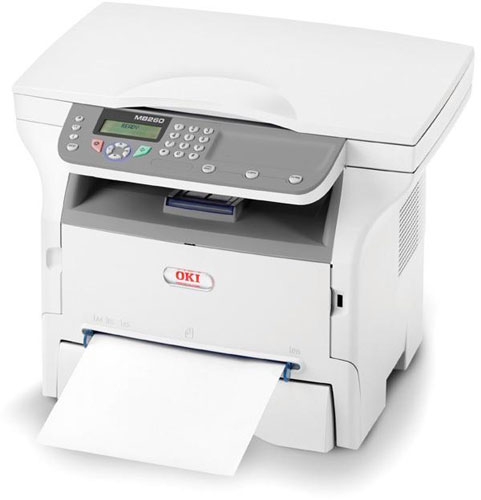
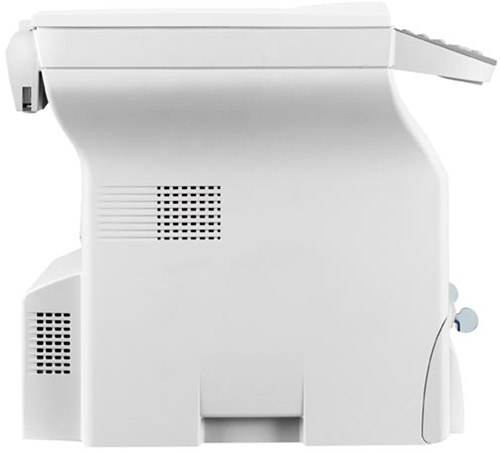
The MB260 provides the small office or home office with a smart, compact, 3 in 1 device which will deliver professional A4 documents in an instant. This multifunctional printer will print and copy in mono at 20 pages per minute, helping to improve productivity. And with the added benefit of colour and mono scanning, important documents can be stored electronically for greater organisation and safe keeping. The MB260 combines printing, copying and scanning with an added value software package which enhances the printers performance. Add to this OKI Printing Solution's unique 3 year warranty and competitive running costs, the MB260 offers both peace of mind and real value for money.

OKI MB260 mono MFP
AC Cable (UK)
CD (including Software/ Utilities/ Drivers and User Manuals)
Setup Guide
Image Drum and 2000 page Print Cartridge


Specification Name
Value
Product Summary
OKI MB260 A4 Mono Multifunction LED Laser Printer
Multifunction Summary
Print/Scan/Copy
Voltage/ Power/ Frequency
220 to 240VAC / 50 to 60Hz
Mono or Colour Printer
Mono
Speed Monochrome
20ppm
Copy Speed Monochrome
20ppm
Paper Trays
1 (1)
Paper Handling Input 1
250 Sheet Input Tray
In The Box
OKI MB260 mono MFP, AC Cable (UK), CD (including Software/ Utilities/ Drivers and User Manuals), Setup Guide, Image Drum and 2000 page Print Cartridge
Printer Resolution
600 x 600 dpi
Copier Resolution
600 x 600 dpi
Scanner Optical Resolution
600 x 600 dpi
Technology
Multifunction LED Laser Printer
Processor
100MHz
Memory (Maximum)
32MB
Interface Type(s)
USB
Product Group Output
A4
Double Sided Printing
-
Network Ready
-
USB Port
Yes
Parallel Port
-
Serial Port
-
Wireless Ready
-
Additional Paper Tray
-
Maximum Paper Size
A4
Mono Toner Life
2,000 Pages
Copy First Page
13 Seconds
Scanner Document Size
A4
Scanner Bit Depth
36-bit
Scanner Task Speed
3.9 seconds from Flatbed
Paper Size
A4, A5, B5, B6, Tranparancies, Envelopes, Official Postcard, Custom: (Width 90 - 148mm, Length 216 - 356m
Paper Weight
52 to 162g/Sq m
USB Ports
2 x USB 2.0
Power Consumption
340W (Max) / 13W (Standby) / 10W (Saving)
Case Colour
Ivory
Dimensions
44.7cm (W) x 38.6cm (D) x 34.4cm (H) - Weight 11.6kg
Copy Facility Present
Yes
Copier Memory (Standard)
32MB
Scan Facility Present
Yes
Scanner Type
A4 Flatbed Colour Image Scanner
Warranty
3 years extended warranty upon registration within 30 days of purchase
Warm Up Time
21 Seconds
Print First Page
13 Seconds
Operating Systems Supported
Windows & Mac
Preset Reduce/Enlarge Ratios
25 to 400%
Maximum Copies
99
Monthly Duty Cycle
1,500
Carton Dimensions
52cm (W) x 49.5cm (D) x 45cm (H) - Weight 15kg

OKI MB260 Consumables

OKI MB260 Accessories

OKI MB260 Wireless LAN Print Option
01240101
£29.00
£34.80 

OKI MB260 Warranties

OKI MB260 Cables

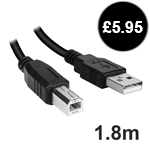
OKI MB260 USB 2.0 Cable (1.8 Metre)
usbcable
£4.95
£5.94 
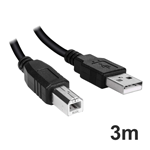
OKI MB260 USB 2.0 Cable (3 metre)
usbcable3m
£6.95
£8.34 
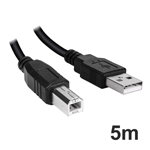
OKI MB260 USB 2.0 Cable (5 Metre)
usbcable5m
£9.95
£11.94 


Free 3 Year Return to Base Warranty

Buy this printer and you can receive a 3 year Return to Base warranty upon registration.

Product must be registered within 30 days of purchase.

Alternatively Click Here to register online


Review Date: 30th Aug 2009

Author: Simon Williams
Features:

Print Quality:

Print Speed:

Value:

Overall:

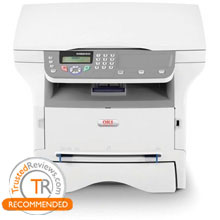
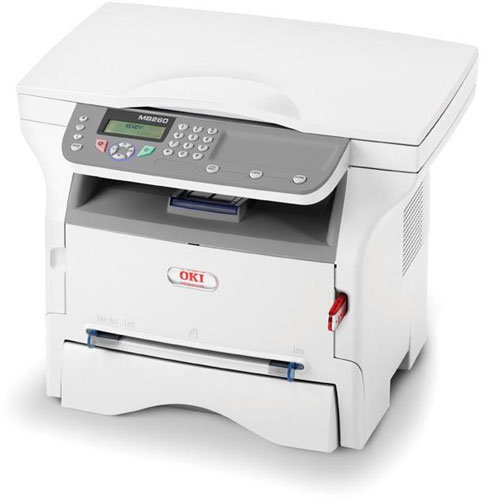
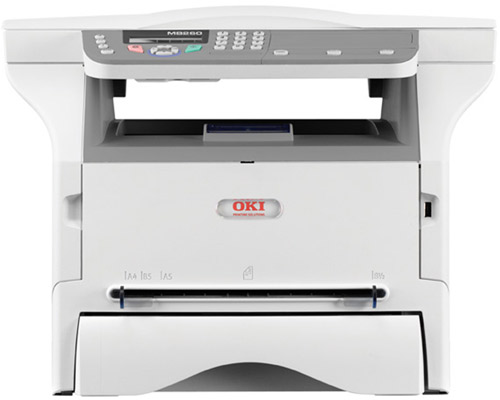
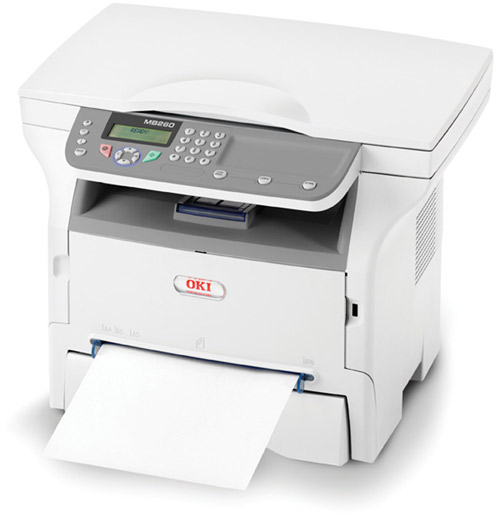
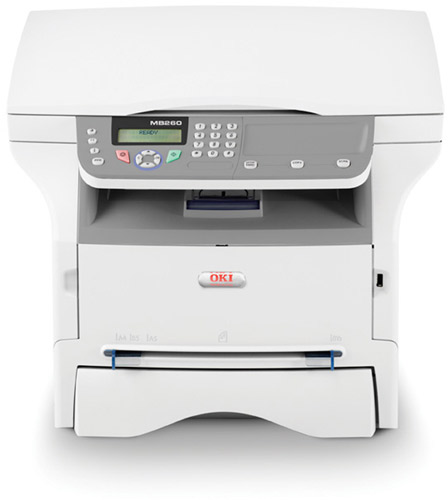
The MB260 is designed simply, but with a certain austere grace, and has its scanner section lifted quite high above the mono laser engine which forms the base of the machine. Even so, the paper stop is quite awkward to flip up and is needed to keep A4 pages under control. The 600ppi flatbed scanner has a 36-bit colour depth and in front of this is the control panel, complete with LCD display and paper-clip tray.

There are a couple of interesting features on the control panel. For a start, it incorporates a number pad, even though there are no fax facilities on the machine. The number pad is used for both menu option entry - just about every option has a shorthand code number - and for security.

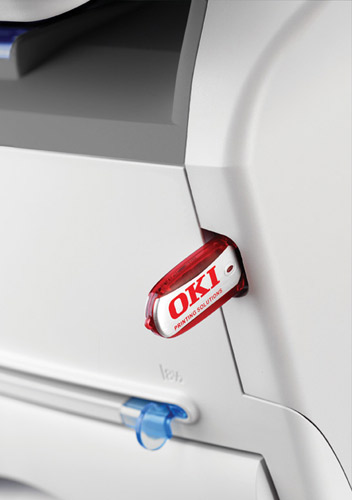
You can lock the whole machine, or just its USB drive reader, so access is only available via keycode, something very rarely available in a machine at this level. It could be useful in preventing a mass of copies being run off by your children or a wasteful co-worker.

The LCD display has two lines of 16 characters, but also a third line of purpose-designed icons for parameters such as print quality. It's useful to have these custom-made extras and another interesting, though perhaps frivolous, feature is the ability to print out Sudoku grids. There are 400 available, 100 in each of four difficulty levels, and thoughtfully, OKI has also incorporated the solutions.

Below the controls is a fairly standard mono laser engine, with a main tray which can take up to 200 sheets of 80gsm paper, so the 250 sheet capacity quoted on the spec sheet must be for a thinner grade. The front panel USB socket is complemented by the main USB connection at the rear and there's no network or wireless provision, though the manual details wireless setup with a third-party adapter.

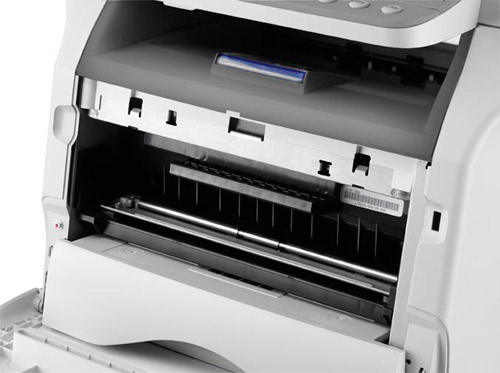
Physical set up is as easy as pulling down the front panel and inserting the combined drum and toner cartridge. Annoyingly, if you open either the main paper tray or the front panel to change the cartridge, a continuous warning beep goes off until you close them again. A 20 second warning would be more than enough.

Software installation includes setup of OKI’s Companion Pro applet, which is effectively a front-end for its own supplies monitor and the bundled copy of PaperPort LE. This is quite a sophisticated document management and OCR application for a machine at this price and makes everyday jobs, such as scanning to Word or printing from file, very straightforward.

We really could believe OKI’s speed rating of 20ppm, if it wasn't for the long processing time evident before the first page starts to feed. Because the MB260 is a GDI printer, not using PCL or PostScript, the overall speed is dependent on the processing power of the host PC it’s connected to. On our Athlon 64 X2 4200+ it took 18 seconds to process the five-page test document and 22 seconds for the 20-page one.

The actual paper feed is quite quick, compensating for these slow off-the-mark times and giving real-world speeds of 8.57ppm and 14.81ppm for the two documents. The five-page text and graphics job gave exactly 10ppm.

A single page copy took 21 seconds and a 15 x 10cm photo print on A4 paper took 27 seconds. Interestingly, the same size print taken from a USB drive was much slower, at 53 seconds.

The quality of prints from the machine varies with the source material. Black text is clean and light, with a good mix of dense black where it's needed and more delicate characters in body copy.

Greyscale graphics show good levels of variation between tones, but some striations in areas of solid fill. Photographic reproduction also shows these bands, but is otherwise pretty good, given the 600dpi resolution of the machine. Photocopies of text are fine, but copying greyscale originals produces blotchy results.

The drum and toner cartridge is available in two capacities, 3,000 and 5,500 pages and using the higher capacity version gives a cost per page of 2.95p, including 0.7p for paper. This is broadly on a par with other laser multifunctions at a similar price, though a little high compared with equivalently priced inkjets.

Verdict

This is a really nice machine for personal use as a printer, copier and scanner. If you don't need colour, it’s really cost-effective as a SOHO device, even though its GDI processing slows it up on older computers. Print quality is adequate, better on text than greyscale graphics. At the price, you'll find it hard to improve on the MB2600 as a whole.

OKI & Mobile Printing

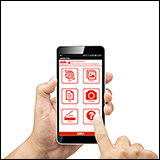
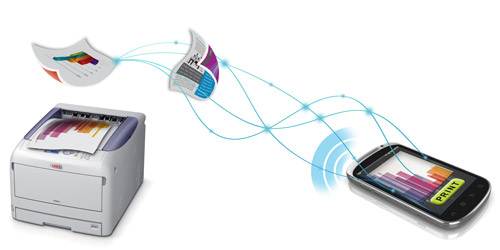
With the modern mobile workforce increasing at a rapid rate, and the growing popularity of tablets, smartphones and laptops, printing documents where and when you need them adds a whole new meaning to print on demand providing you have access to a compatible device.

Thanks to the many mobile applications available, you no longer have to be ‘back in the office’ to print and share documents essential to your business, customers or partners; promotional customer information, contracts - you can keep your business going whilst you are on the move.

Printing from Apple iPad or iPhone?
How to print to an OKI Printer from an Apple iPad

How does mobile printing work?

Cloud or mobile printing works by connecting to a wireless, networked or web enabled printer through a smartphone device or tablet, meaning you can print remotely from anywhere in the world, without having to connect directly to a printer nearby.

OKI products & Mobile Printing

OKI Colour, mono and multifunction printers are compatible with a number of applications available, so you can download an application of your choice that enables you to print to almost any device simply through a single mobile printing application.

Microtech Corp’s ePrint and Cortado Workplace, for example, are compatible with most printer manufacturer brands including OKI’s portfolio of mono and colour LED printers and MFPs.

Microtech Corp's website  - compatible with iOS and Android devices*

Cortado's website - compatible with iOS, Blackberry, Android and Symbian devices*


*please note: a PC or Apple Mac on the same wireless network may be required for full compatibility.

All consumable life cycles are MANUFACTURER ESTIMATES based on 5% per page coverage.
images are used for illustration purposes only
why buy from Printerland?
To assist you in selecting the most suitable product
To get you the best price on your product
To deliver the item in the quickest time possible
Safe internet shopping from printerland Safe internet shopping from printerland
Join the Printerland.co.uk mailing list for the latest promotions & discount codes
Name*
 
Email*
 
*Required
printerland payment methods
The Printerland Promise...

We Will Not be Beaten on Price...
Even on Ink & Toner Cartridges! *

Free Next Day Delivery
on all Orders Over £125

Call us Free on 0800 840 1992
printerland trustpilot badge

Terms & Conditions*
We use cookies to ensure the very best shopping experience possible. By using this site, you consent to our use of cookies in accordance with our cookie policy