www.printerland.co.uk
The UK's no.1 for Printers & Ink
0800 840 1992 Call us FREE Mon - Fri 8:30am - 6:00pm
FREE Next Day Delivery on all Orders Over £125*
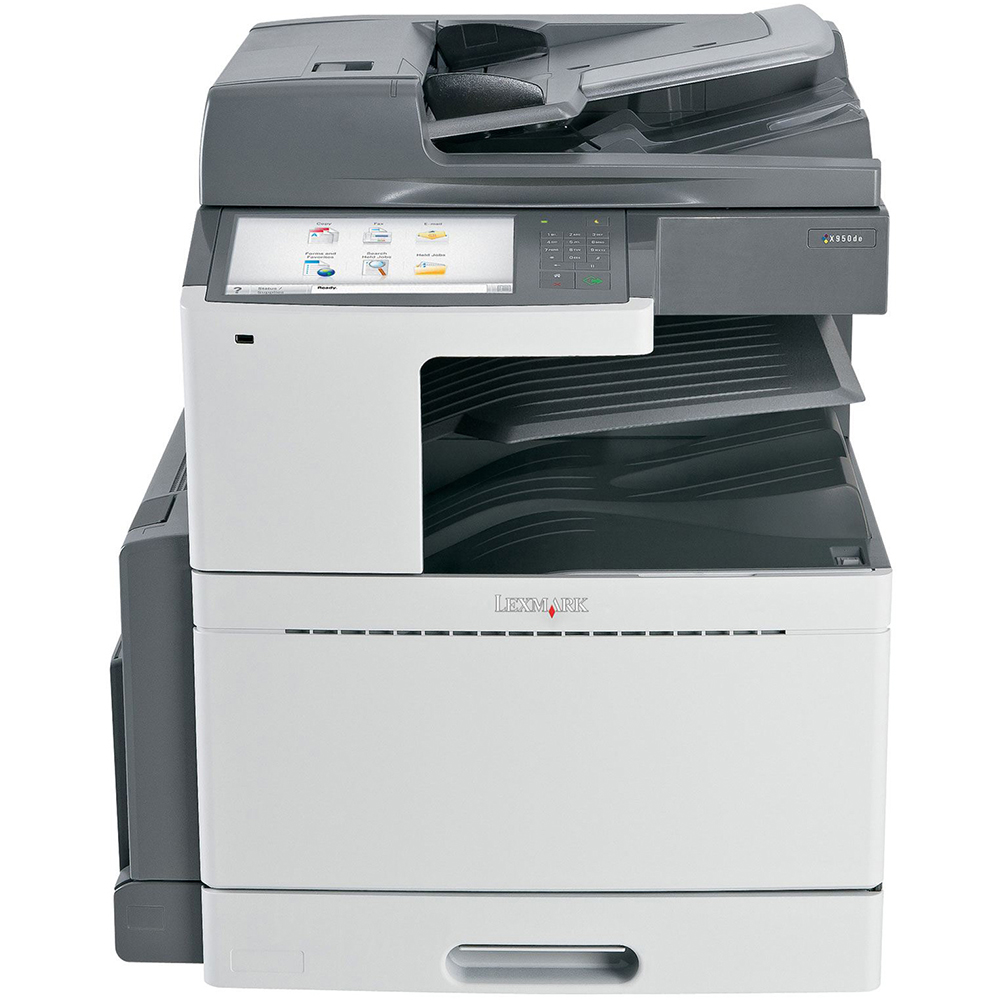
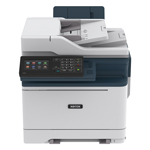
Lexmark X952de A3 Colour Multifunction Laser Printer
Print/Scan/Copy/Fax
22Z0093
FREE Next Day Delivery*
Powerful colour performance for your workgroup
Only £6,900.98 ex VAT
£8,281.18 Inc VAT

Lexmark X952de Overview


  • 45ppm Colour Print
  • 1.2GHz Processor
  • 50ppm Mono Print
  • High Capacity HDD
  • 33.6Kbps Fax
  • 1024MB (2048MB) RAM
  • 520 Sheet Input Tray
  • USB & Network
  • 100 Sheet Multi-Purpose Input Tray
  • Automatic Double Sided Printing
  • 2400 dpi Print
  • Windows & Mac
  • 600 x 600 dpi Scan
Lexmark X952de in More Detail

Power up your office and increase productivity with the Lexmark X950Series, featuring high-performance A3 colour functionality, flexiblefeatures, easy-to-use workflow solutions and advanced security.
The extra large 25.9-cm (10.2-inch) colour touch screen allows you tooperate your MFP with ease through intuitive navigation and easy accessto workflow solutions and shortcuts.
The front USB port allows for convenient walk-up preview, printing andscanning, and is compatible with most printable image file formats.
Choose the configuration that best fits your needs, up to a maximum of 5,140 sheets.
Ultra-reliable paper feeding lets you load up to six different types ofmedia, including sizes up to 32 x 122 cm (12.6 x 48 inch) and weights upto 300 gsm.
Easily create professional output in-house with flexible finishingoptions, including multi-position stapling, hole punch, expanded outputstacking and booklet capability.
Make a lasting impression on your customers and do more printingin-house with vibrant, professional-quality output on a wide variety ofmedia. With the advanced technology of the X950 Series, you’ll gethigh-performance A3 (tabloid) multifunction capability that producesconsistent colour from the first page to the last. 1200 x 1200 print resolution for rich vibrant colours and crisp black text.
PANTONE® calibration for consistent colour tones.
Print and copy at speeds up to 55 ppm black and 50 ppm colour, and scanat speeds up to 70 images per minute; time to first print as quick as5.2 seconds.
Extra large, easy to navigate 25.9 cm (10.2-inch) colour touch screenprovides audible and tactile feedback to make completing tasksintuitive.
Scan to multiple destinations, including scan to email, scan to FTP, scan to fax, scan to network, scan to USB drive and more.
Advanced copy functions let you interrupt long print runs to make aquick copy or proof the first copy set before completing your copy job.
High-capacity hard disk, 1.2 GHz processor and up to 2GB RAM.
Inner Tray 2 is standard, allowing you to separate print, copy or fax output into two bins.

Lexmark X952de colour multifunction printer
Up to 12000-page colour (CMY) toner cartridges
Up to 19000-page black toner cartridge
Black cyan magenta and yellow Imaging units
Software and Documentation CD
Power Cord(s)
RJ-11 Phone cable or adapter (country dependent)
Setup Guides (network and local attachment)
Statement of limited guarantee
Lexmark Cartridge Collection Program information


Specification Name
Value
Multifunction Summary
Print/Scan/Copy/Fax
Product Summary
Lexmark X952de A3 Colour Multifunction Laser Printer
Barcode
734646287432
Copy Speed Colour
45cpm
Copy Speed Monochrome
50cpm
Speed Monochrome
50ppm
Speed Colour
45ppm
Mono or Colour Printer
Colour
Paper Handling Input 1
520 Sheet Input Tray
Paper Handling Input 2
100 Sheet Multi-Purpose Input Tray
In The Box
Lexmark X952de colour multifunction printer, Up to 12000-page colour (CMY) toner cartridges, Up to 19000-page black toner cartridge, Black cyan magenta and yellow Imaging units, Software and Documentation CD, Power Cord(s), RJ-11 Phone cable or adapter (country dependent), Setup Guides (network and local attachment), Statement of limited guarantee, Lexmark Cartridge Collection Program information
Fax Speed
33.6Kbps
Scanner Resolution Enhanced
600 x 600 dpi
Printer Resolution
2400 dpi
Copier Reduce/Enlarge
25 to 400%
Technology
Multifunction Laser Printer
Processor
1.2GHz
Memory (Maximum)
1024MB (2048MB)
Hard Disk
High Capacity
Interface Type(s)
USB & Network
Product Group Output
A3
Double Sided Printing
Automatic
Scanner Type
Colour
Maximum Paper Size
A3
Operating Systems Supported
Windows & Mac
Paper Size
A3
USB Ports
1 x USB 2.0 (Type A)
Scan Facility Present
Yes
Copy Facility Present
Yes
Fax Facility Present
Yes
Colour Copier
Yes
Double Sided Printing (Duplex)
Duplex as Standard
Network Ready
Yes
USB Port
Yes
Monthly Duty Cycle
225000 pages
Noise Level
52dbA
Print First Page
5.2 Seconds
Parallel Port
-
Serial Port
-
Wireless Ready
-
Warranty
One Year Onsite NBD Repair.
Additional Paper Tray
optional
Dimensions
640mm (W) x 685mm (D) x 762mm (H) - Weight 116kg
Environmental
Operating Temperature 10 to 32C - Humidity 20 to 80%
Maximum Input Capacity
5140 Sheet
Media Supported
Card Stock, Envelopes, Glossy paper, Labels, Plain Paper, Transparencies, Refer to the Card Stock & Label Guide
Carton Dimensions
870 x 848 x 769 mm - 125.0 kg
Compare Range SpeedSpeedMemoryDouble Sided PrintingFax Facility PresentMonthly Duty CyclePrice 
Lexmark X950demore info40ppm45ppm1024MB (2048MB)AutomaticYes200000 pages£6,090.82
Lexmark X952demore info45ppm50ppm1024MB (2048MB)AutomaticYes225000 pages£6,900.98
Lexmark X954demore info50ppm55ppm2048MB (2048MB)AutomaticYes250000 pages£7,899.88

What is AirPrint?

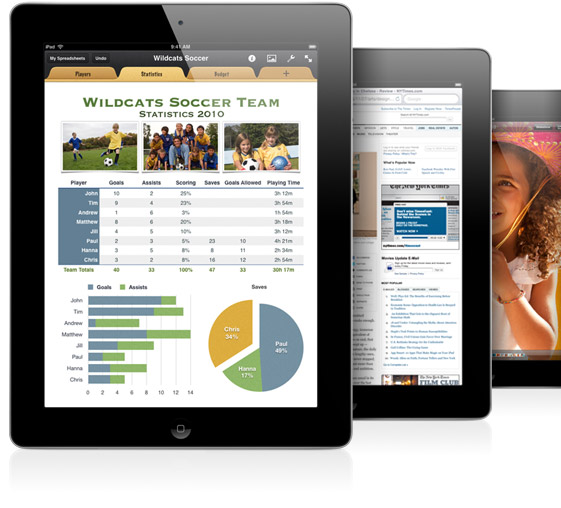
AirPrint enables users to print wirelessly from within applications on Apple devices to AirPrint Compatible Printers. You can use your iPhone, iPod Touch or iPad to easily print via Airprint without the need to install drivers or configure the printer queue. Just tap 'print' and select your AirPrint compatible printer, and print!....It's that simple.

What You See is What You Print

If you can open it on your apple device, chances are you can print it with AirPrint and an AirPrint compatible printer. Airprint works with Safari, Mail, Photos, iWork, PDF's in iBooks and many third-party AirPrint compatible apps available from the app store.


Full list of AirPrint compatible printers

Third-Party Apps

There are also a wide variety of third-party apps available to enable wireless printing through Apple devices, even to machines that are not natively AirPrint compatible printers. By sharing a printer installed on an Apple Mac or Windows Pc over a wireless network any printer may be able to take advantage of the AirPrint features. (An additional third-party app may be required to be installed on the local machine)

Please note. Whilst every effort has been made to ensure that the above information is correct at the time of publication, Printerland will not be held responsible for the content of any third-party software suggested on this site and usage of any such software is at the users own risk. Printerland is unable to provide support for Airprint compatible printer software and any such advice should be readily available from the relevant manufacturer or developer.

Forms and Favourites
Eliminate waste and inefficiencies associated with preprinted forms. Store frequently printed forms, marketing materials or other documents online, then print them on demand.
Eco-Settings
Choose from multiple print settings that help reduce energy, paper and toner consumption.
Change Language
Easily switch the language displayed on the touch screen – 18 languages supported.
Showroom
Display a customisable, scrolling slideshow on the colour touch screen to promote your business or products, or to communicate important messages to your customers or employees.
Scan to e-mail
Share documents with the touch of a button. Scan and e-mail documents to a person or group you share information with regularly.
Eco Copy
Display a customisable, scrolling slideshow on the colour touch screen to promote your business or products, or to communicate important messages to your customers or employees.
Business Card Scan
Create a contact management program to immediately access scanned business cards.
Facebook
Monitor real-time updates from your friends and posts to your wall. You can even view and print your Facebook photos.
Scan a Photo
Scan and archive photos with the touch of a button.
Google Docs
Quickly and easily move important documents directly between your online Google account and your Web-connected Lexmark SmartSolutions-enabled device.
Google Cloud Print
Print securely from your mobile device with the Google Cloud Print SmartSolution
Copy and Save to Network Share
With one touch, scan, copy and save a document to a personal or shared network folder.
View more information about Lexmark Smart Solutions here

 *Please Note: Not all apps are pre-installed and may need to be downloaded from the Lexmark solutions centre
Maximise your productivity by adding and managing hundreds more print focused apps from the
solutions centre



All consumable life cycles are MANUFACTURER ESTIMATES based on 5% per page coverage.
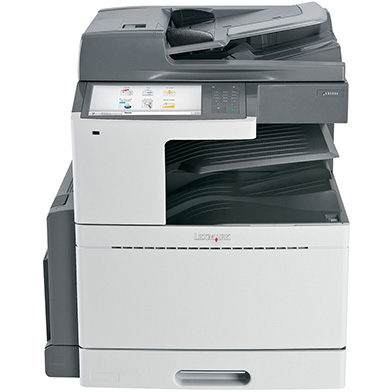
images are used for illustration purposes only
why buy from Printerland?
To assist you in selecting the most suitable product
To get you the best price on your product
To deliver the item in the quickest time possible
Safe internet shopping from printerland Safe internet shopping from printerland
Join the Printerland.co.uk mailing list for the latest promotions & discount codes
Name*
 
Email*
 
*Required
printerland payment methods

The Printerland Promise...
We Will Not be Beaten on Price...
Even on Ink & Toner Cartridges! *

Free Next Day Delivery
on all Orders Over £125

Call us Free on 0800 840 1992
printerland trustpilot badge

Terms & Conditions*
We use cookies to ensure the very best shopping experience possible. By using this site, you consent to our use of cookies in accordance with our cookie policy