www.printerland.co.uk
The UK's no.1 for Printers & Ink
0800 840 1992 Call us FREE Mon - Fri 8:30am - 6:00pm
FREE Next Day Delivery on all Orders Over £125*
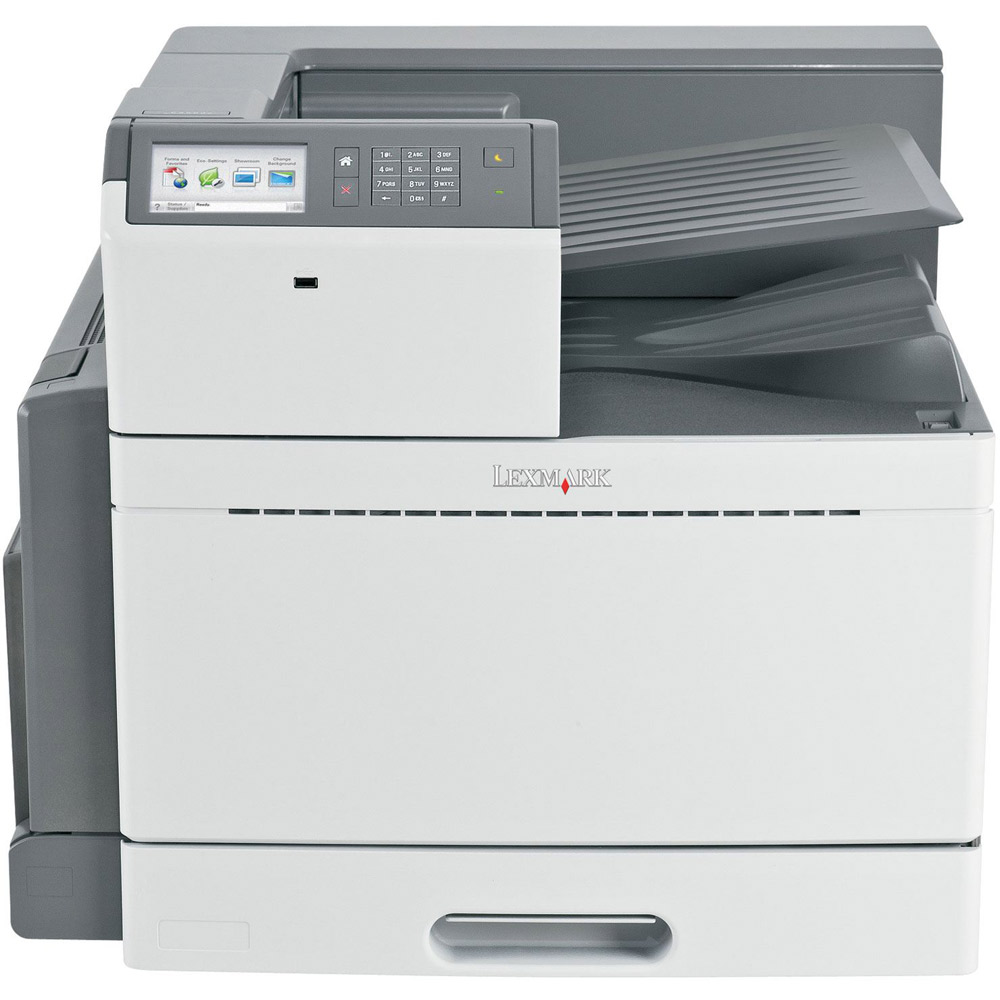
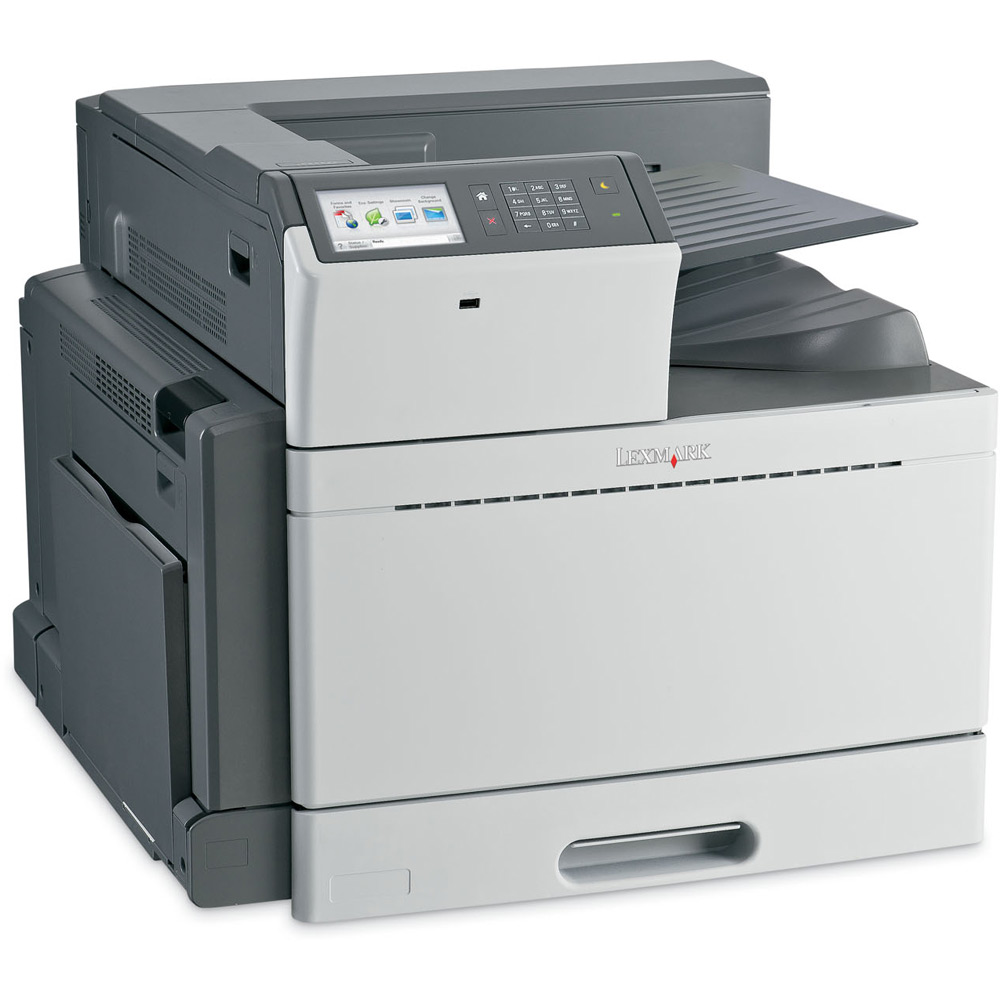
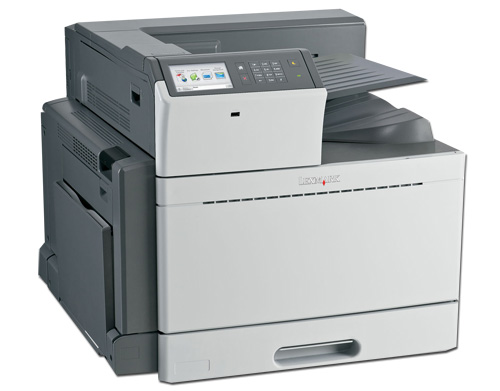
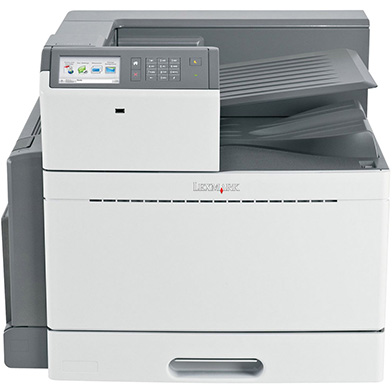
Lexmark C950de A3 Colour Laser Printer
22Z0091
FREE Next Day Delivery*
Free Kindle or Sat-Nav + Ships with 16k black & 11k colour toners
Only £2,408.06 ex VAT
£2,889.67 Inc VAT

Lexmark C950de Overview


  • 5.2 Seconds First page
  • 1024MB (2048MB Max) RAM
  • 46ppm Colour Print
  • USB & Network
  • 50ppm Mono Print
  • PostScript, PCL5, PCL6
  • 100 Sheet Multi-Purpose Input Tray
  • Automatic Double Sided Printing
  • 520 Sheet Input Tray
  • Windows, Mac
  • 2400 dpi Print
Lexmark C950de in More Detail

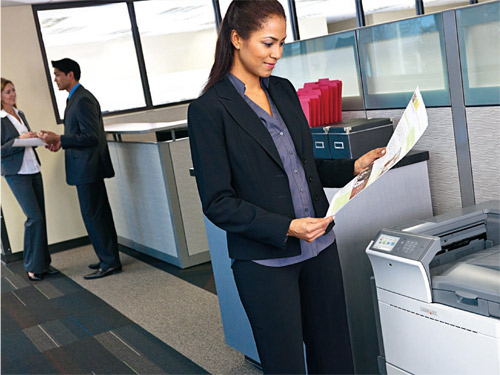
Make a lasting impression on your customers and do more printing in-house with vibrant, professional-quality output on a wide variety of media. With the advanced technology of the C950de, you’ll get high-performance A3 (tabloid) printing capability that produces consistent colour from the first page to the last.
1200 x 1200 print resolution for rich vibrant colours and crisp black text.
PANTONE® calibration for consistent colour tones.
Named Colour Replacement for easy colour matching.
Lexmark Colour Care Technology to manage colour use and control costs.
Create professional collateral materials ranging from saddle stitch booklets to folded brochures on media up to A3 (tabloid).
The Lexmark C950de combines high-performance printing with easy-to-use features and time-saving workflow applications designed to boost your productivity.
Print at speeds of up to 50 ppm black and 45 ppm colour: time to first page as quick as 5.2 seconds.
Easy to navigate 10.9-cm (4.3-inch) colour touch screen provides audible feedback to make completing tasks intuitive.
The Lexmark C950de features a robust print engine designed to handle the most demanding workloads with the advanced features and flexibility you need to run your
business.
Strong, multilayered security features help protect your devices, your documents, your information and your network infrastructure.
Simplify device monitoring and administration through the embedded web server, Lexmark Universal Print Driver and Lexmark MarkVision Enterprise.
Process graphic-intensive jobs easily with 1.2 GHz processor and 1GB RAM standard.
Choose from multiple input options to expand capacity up to 5,140 sheets.
Lexmark is dedicated to designing and manufacturing products that deliver exceptional quality and reliability. Maximise the return on your investment, optimise the performance of your Lexmark printing equipment and make a lasting impression by always insisting on Lexmark Genuine Supplies, Service and Parts.

Lexmark C950de colour printer
Up to 11000page colour (CMY) toner cartridges
Up to 16000page black toner cartridge
Black cyan magenta and yellow Imaging units
Software and Documentation CD
Power Cord(s)
Setup Guides (network and local attachment)
Statement of limited guarantee


Specification Name
Value
Maximum Paper Weight
220 g/m2
Product Summary
Lexmark C950de A3 Colour Laser Printer
Barcode
0734646287357
Speed Colour
46ppm
Speed Monochrome
50ppm
First Page
5.2 Seconds
Mono or Colour Printer
Colour
Paper Handling Input 1
100 Sheet Multi-Purpose Input Tray
Paper Handling Input 2
520 Sheet Input Tray
Double Sided Printing Unit (Duplex)
Duplex as Standard
In The Box
Lexmark C950de colour printer, Up to 11000page colour (CMY) toner cartridges, Up to 16000page black toner cartridge, Black cyan magenta and yellow Imaging units, Software and Documentation CD, Power Cord(s), Setup Guides (network and local attachment), Statement of limited guarantee,
Printer Resolution
2400 dpi
Memory (Maximum)
1024MB (2048MB Max)
Technology
Laser Printer
Interface Type(s)
USB & Network
Printer Languages
PostScript, PCL5, PCL6
Product Group Output
A3
Double Sided Printing
Automatic
Additional Paper Tray
Optional
Dimensions
640mm (W) x 685mm (D) x 565mm (H)
Monthly Duty Cycle
225k Pages Per Month
Noise Level
53dbA
Special Media
Card Stock, Envelopes, Glossy paper, Labels, Plain Paper, Transparencies, Refer to the Card Stock & Label Guide
Operating Systems Supported
Windows, Mac
Warranty
One Year Onsite Repair.
Paper Size
A3 (Max Size) 297 x 420mm (11.7 x 16.5 inches) , (Max.) A3
Network Ready
Yes
Mono Toner Life
38,000 Pages
Colour Toner Life
24,000 Pages
Certifications
Energy Star, CSA, ICES Class A, BSMI Class A, VCCI Class A, FCC Class A, UL 60950-1, IEC 60320, CE Class A, CB IEC 60950-1, IEC 60825-1, CISPR 22 Class A, GS (T V), SEMKO, UL AR, CS, T V Rh, A-tick mark Class A, CCC Class A
Paper Trays (Standard/Maximum)
2
USB Ports
1 x USB 2.0
Network Management Protocols
HTTP, HTTPs (SSL/TLS), SNMPv1, SNMPv2c, SNMPv3, WINS, SLPv1, IGMP, BOOTP RARP, APIPA (AutoIP), DHCP, ICMP, DNS
Network Printing Protocols
LPR/LPD, Direct IP (Port 9100), Socket (Raw TCP/IP), IPP (Internet Printing Protocol), HTTP, NDS Queue-based Printing, NDPS/NEPS (Novell Distributed Print Services, Novell Netware Enterprise Print Services), Enhanced IP (Port 9400), FTP, TFTP, IPP 1.1 (I
Network Protocol
TCP/IP IPv4, IPX/SPX, AppleTalk, LexLink (DLC), TCP/IP IPv6
Security
SSL Enabled Embedded Web Server, SNMPv3, TCP/IP port access control, Authenticated and encrypted MarkVision Professional communication, 802.1x Authentication: MD5, MSCHAPv2, LEAP, PEAP, TLS, TTLS, IPSec
Maximum Paper Size
A3
USB Port
Yes
Parallel Port
-
Serial Port
-
Wireless Ready
-
Paper Input
620 sheets
Carton Dimensions
565 x 640 x 685 mm - 95.0 kg

Lexmark C950de Accessories

Lexmark C950de Cables

Compare Range MemoryDouble Sided PrintingNetwork ReadyUSB PortPaper InputPrice 
Lexmark C950demore info1024MB (2048MB Max)AutomaticYesYes620 sheets£2,408.06
Customers also considered these products...
£500 Cashback + Free 3 Year On-Site Warranty + 7.5k Toners Included
Compare 5.00 (3) only £1,975.00 ex  VAT

--Promotional Offer--

5.00
by 
Lexmark C950de This is a fully fledged A3 colour laser printer, with everything you need for a busy office environment, It will handle practically every job, the only missing element for this printer is high quality magazine proofing prints, for which you will need to purchase a much pricier printer. For me personally, the trade off for quality and price is quite a large one so I will stick with the cheaper price and a very capable printer.

What is AirPrint?

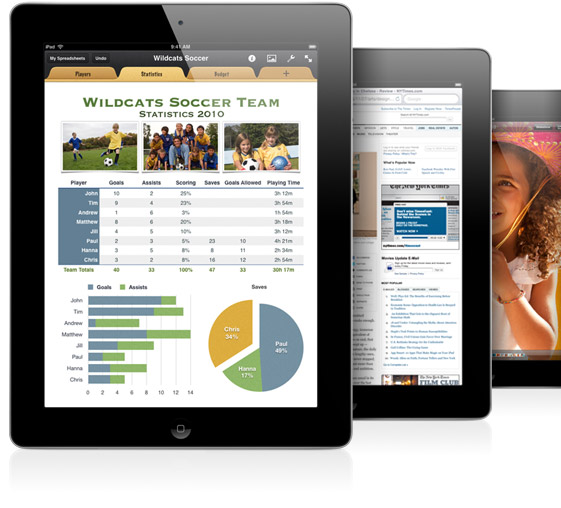
AirPrint enables users to print wirelessly from within applications on Apple devices to AirPrint Compatible Printers. You can use your iPhone, iPod Touch or iPad to easily print via Airprint without the need to install drivers or configure the printer queue. Just tap 'print' and select your AirPrint compatible printer, and print!....It's that simple.

What You See is What You Print

If you can open it on your apple device, chances are you can print it with AirPrint and an AirPrint compatible printer. Airprint works with Safari, Mail, Photos, iWork, PDF's in iBooks and many third-party AirPrint compatible apps available from the app store.


Full list of AirPrint compatible printers

Third-Party Apps

There are also a wide variety of third-party apps available to enable wireless printing through Apple devices, even to machines that are not natively AirPrint compatible printers. By sharing a printer installed on an Apple Mac or Windows Pc over a wireless network any printer may be able to take advantage of the AirPrint features. (An additional third-party app may be required to be installed on the local machine)

Please note. Whilst every effort has been made to ensure that the above information is correct at the time of publication, Printerland will not be held responsible for the content of any third-party software suggested on this site and usage of any such software is at the users own risk. Printerland is unable to provide support for Airprint compatible printer software and any such advice should be readily available from the relevant manufacturer or developer.

Forms and Favourites
Eliminate waste and inefficiencies associated with preprinted forms. Store frequently printed forms, marketing materials or other documents online, then print them on demand.
Eco-Settings
Choose from multiple print settings that help reduce energy, paper and toner consumption.
Change Language
Easily switch the language displayed on the touch screen – 18 languages supported.
Showroom
Display a customisable, scrolling slideshow on the colour touch screen to promote your business or products, or to communicate important messages to your customers or employees.
Scan to e-mail
Share documents with the touch of a button. Scan and e-mail documents to a person or group you share information with regularly.
Eco Copy
Display a customisable, scrolling slideshow on the colour touch screen to promote your business or products, or to communicate important messages to your customers or employees.
Business Card Scan
Create a contact management program to immediately access scanned business cards.
Facebook
Monitor real-time updates from your friends and posts to your wall. You can even view and print your Facebook photos.
Scan a Photo
Scan and archive photos with the touch of a button.
Google Docs
Quickly and easily move important documents directly between your online Google account and your Web-connected Lexmark SmartSolutions-enabled device.
Google Cloud Print
Print securely from your mobile device with the Google Cloud Print SmartSolution
Copy and Save to Network Share
With one touch, scan, copy and save a document to a personal or shared network folder.
View more information about Lexmark Smart Solutions here

 *Please Note: Not all apps are pre-installed and may need to be downloaded from the Lexmark solutions centre
Maximise your productivity by adding and managing hundreds more print focused apps from the
solutions centre



All consumable life cycles are MANUFACTURER ESTIMATES based on 5% per page coverage.
images are used for illustration purposes only
why buy from Printerland?
To assist you in selecting the most suitable product
To get you the best price on your product
To deliver the item in the quickest time possible
Safe internet shopping from printerland Safe internet shopping from printerland
Join the Printerland.co.uk mailing list for the latest promotions & discount codes
Name*
 
Email*
 
*Required
printerland payment methods

The Printerland Promise...
We Will Not be Beaten on Price...
Even on Ink & Toner Cartridges! *

Free Next Day Delivery
on all Orders Over £125

Call us Free on 0800 840 1992
printerland trustpilot badge

Terms & Conditions*
We use cookies to ensure the very best shopping experience possible. By using this site, you consent to our use of cookies in accordance with our cookie policy