



www.printerland.co.uk
The UK's no.1 for Printers & Ink
0800 840 1992 Call us FREE Mon - Fri 8:30am - 6:00pm
FREE Delivery on all Orders Over £125*
0 Items £0.00
Kyocera » Kyocera Multifunction Printers »

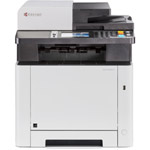
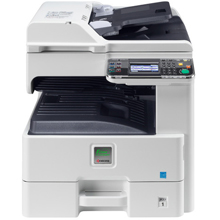
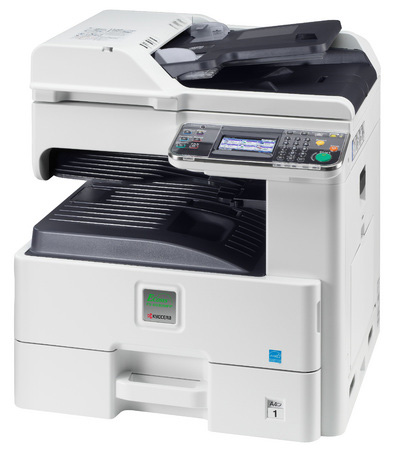
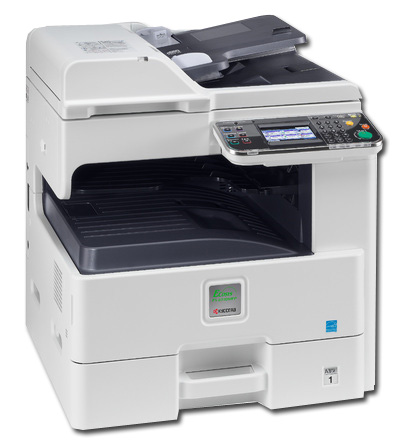
Kyocera FS-6030MFP A3 Mono Laser Multifunction Printer

Like in Facebook
Kyocera FS-6030MFP A3 Mono Laser Multifunction Printer
Print/Scan/Copy
1102K33NL0
FREE Next Day Delivery*
Want a compact, highly efficient multifunctional device?
Only £1,599.00 ex VAT
£1,918.80 Inc VAT

Kyocera FS-6030MFP Overview


  • 500 Sheet Input Tray
  • PCL 6 (5e/XL), KPDL 3 (PostScript 3 compatible), PDF Direct Print, XPS Direct Print
  • 100 Sheet Multi-Purpose Input Tray
  • 512MB (1536MB) RAM
  • USB & Network
  • 600 x 600 dpi Print
  • Automatic Double Sided Printing
  • PowerPC 464/800MHz Processor
  • Windows & Mac
  • 30ppm Mono Print
Kyocera FS-6030MFP in More Detail

The long life components in the Kyocera FS 6030MFP provide unprecedentedefficiency and reliability. The maximum duty cycle of the Kyocera FS6030MFP is up to 100,000 pages A4 per month. The paper capacity of theKyocera FS 6030MFP can be upgraded to a maximum capacity of 1,600 sheetsand has a range of paper handling options.
Customisable, colour touch panel offers fast, easy access to frequently used functions.
By using long life components, toner is the only consumable that needs to be replaced during 300,000 pages. Key Features:
Up to 30/15 pages A4/A3 per minute
Professional print, copy, scan and fax functionality
Paper capacity up to 1,600 sheets and a range of paper-handling options
Time to first copy: 9.2 seconds or less
Low noise emissions match desktop printers

Kyocera FS-6030MFP printer
Starter toner cartridge: 3000 pages
AC Cable (UK)
CD/DVD (including Software/ Utilities/ Drivers and User Manuals)
Setup Guide


Specification Name
Value
Product Summary
Kyocera FS-6030MFP A4 Mono Laser Multifunction Printer
Voltage/ Power/ Frequency
AC 220 - 240 V, 50/60 Hz
Multifunction Summary
Print/Scan/Copy
Barcode
0632983018859
Speed Monochrome
30ppm
Mono or Colour Printer
Mono
Paper Handling Input 1
500 Sheet Input Tray
Paper Handling Input 2
100 Sheet Multi-Purpose Input Tray
Copier Reduce/Enlarge
25–400% in 1% steps
Scanner Optical Resolution
600, 400, 300, 200 dpi (256 greyscales)
Printer Resolution
600 x 600 dpi
Processor
PowerPC 464/800MHz
Technology
Laser Multifunction Printer
Memory (Maximum)
512MB (1536MB)
Interface Type(s)
USB & Network
Emulations
PCL 6 (5e/XL), KPDL 3 (PostScript 3 compatible), PDF Direct Print, XPS Direct Print
Double Sided Printing
Automatic
Product Group Output
A3
Network Interface
10/100/1000Base-TX Ethernet
Noise Level
45.8dbA
Dimensions
590mm (W) x 590mm (D) x 694mm (H) Weight: 52.2kg
Paper Handling Output
Max. 300 sheets
Paper Weight
45 to 256g/Sq m
Power Consumption
570W (Max) / 119W (Standby) / 1.0W (Saving)
Preset Reduce/Enlarge Ratios
5 Reductions/5 Enlargements
Print First Page
8 Seconds
Monthly Duty Cycle
100k Pages Per Month
Font Capabilities
93 outline fonts (PCL 6, KPDL3) + 8 (Windows Vista), 1 Bitmap font, 45 types of one-dimensional barcodes, 1 type of two-dimensional barcode (PDF417)
In The Box
Kyocera FS-6030MFP printer, Starter toner cartridge: 3000 pages, AC Cable (UK), CD/DVD (including Software/ Utilities/ Drivers and User Manuals), Setup Guide,
Maximum Paper Size
A3, A4, A5, A6, B5, Letter, Legal, Folio, envelopes, Custom
Scan Facility Present
Yes
Copy Facility Present
Yes
Automatic Document Feeder
Yes
Operating Systems Supported
Windows & Mac
Network Ready
Yes
USB Ports
1 x USB 2.0
USB Port
Yes
Serial Port
-
Wireless Ready
-
Additional Paper Tray
Optional
Copier Functions
Scan-once-copy-many, electronic sort, 2in1, 4in1, job reserve, priority print, program, auto duplex copy, split copy, continuous scan, auto cassette change (PF-470 or PF-471 is required), copy density control, Prevent Bleed-Through
Copy First Page
7.8 Seconds
Warm Up Time
20 Seconds
Warranty
1 year warranty as standard
Scanner Document Size
Max: A3, Ledger
Scanner Features
Scan-to-Email, Scan-to-FTP, Scan-to-SMB, Scan to USB Host, Network TWAIN , WIA , WSD scan, Integrated address book, Active Directory support, encrypted data transfer, multi send (e-mail, fax, SMB/FTP folder, print) at once
Scanner Task Speed
40 ipm (300 dpi, A4, b/w)

Kyocera FS-6030MFP Consumables

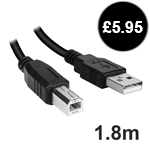
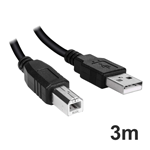
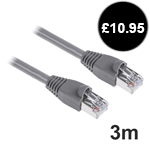
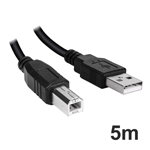
Kyocera FS-6030MFP Cables

Kyocera ECOSYS A3 MFP Range wins Editor’s Choice Award


A lower entry point for A3 colour MFPs gives more choice to small businesses and departments with low print volumes and small budgets.


The trend in MFP sales is all in one direction. According to IDC, the ratio of A4 to A3 MFP sales went from 60:40 in 2004 to 76:24 last year. By 2012, the research company predicts, the ratio will be 80:20. Some might be surprised that expensive A3 MFPs can still command almost one quarter of the market: after all, the number of A3 pages produced is comparatively small – 2-5% according to most estimates – and network printing allows you to centralise A3 devices and have A4 machines locally, reducing the need for an A3 MFP on every floor. In their favour, and aside from the fact that A3 devices are designed for high volumes of A4 output too, office workers still have a need to print large format documents, especially in colour.
As Brother’s success with its entry-level inkjet models shows, office workers value the ability to print in A3: what they aren’t so happy about is the high cost of existing tonerbased A3 devices. In response, a growing number of vendors, among them Lexmark and Kyocera Mita, have introduced simplified A3 devices, with slower print speeds, lower monthly print volumes and a correspondingly low purchase price – typically around 33% less than a fully fledged A3 MFP.

Kyocera Mita is an interesting case because it has a foot in both camps, being both a traditional copier MFP supplier and a printer manufacturer. Its new range of ECOSYS A3 MFPs sits between its A3 ECOSYS printers and its TASKalfa MFPs, providing customers with an affordable A3 solution that could impact both markets. In fact, Kyocera Mita product manager Jonathan Robbins is confident that these represent a completely new category and will have no impact on sales of TASKalfa MFPs. Instead, he believes that Smart MFPs will appeal to smaller organisations or departments that don’t have the print volumes or budget to warrant a fully fledged TASKalfa MFP, as well as to customers upgrading from an A3 printer to an MFP. According to Robbins, the reason for choosing a Smart MFP over a TASKalfa is all about affordability and  convenience: “The initial purchase price of a Smart MFP is about one third less than TASKalfa MFPs, but running costs are more. These are low monthly duty cycle machines (2,500-3,000 pages a month), but if you compared a TASKalfa 250 against the FS-8020MFP, the 8020 would be more economical if printing up to 4,000 pages a month. With mono devices the break even point is up to 14,000 pages,” he said. The trade off is a reduction in print speed, throughput and functionality, as Smart MFPs have no hard disk drive and don’t support Kyocera’s HyPAS platform for integrating MFPs with third party print and enterprise applications (though Kyocera’s own secure print and card-based authentication systems are supported).
The greater simplicity of the devices extends to servicing and support requirements: replacing the maintenance kit, which must be done every 200,000 pages on the colour machines and every 300,000 pages on the mono one takes an engineer 10-15 minutes compared to an hour on TASKalfa devices. The user interface is simpler, too. “The colour touch-screen front panel has a wizard so if you are scanning you press the scan button and it asks where you want to scan to; then in what format; and at what resolution. One screen leads to another: it’s much easier for an end user. And the front panel can be configured for individual users with their own selection of functions. Up to 20 users can have their own default screens,” explained Robbins. Combining the core functionality of an A3 MFP with the configuration and price point of an A4 MFP, Smart MFPs are a welcome option at a time when businesses must watch their pennies, while continuing to project a professional image.

All consumable life cycles are MANUFACTURER ESTIMATES based on 5% per page coverage.
images are used for illustration purposes only
why buy from Printerland?
To assist you in selecting the most suitable product
To get you the best price on your product
To deliver the item in the quickest time possible
Safe internet shopping from printerland Safe internet shopping from printerland
Join the Printerland.co.uk mailing list for the latest promotions & discount codes
Name*
 
Email*
 
*Required
  • Printerland Average Customer Rating
    9.8 out of 10
    based on 1177 customer reviews.
printerland payment methods

The Printerland Promise...

We Will Not be Beaten on Price...
Even on Ink & Toner Cartridges! *

Free Next Day Delivery
on all Orders Over £125

Call us Free on 0800 840 1992
printerland trustpilot badge

Terms & Conditions*